 k88936
0797410eef
k88936
0797410eef
* 支持从项目, 本地电脑, 主站导入/引用素材. * 页面复杂, 需要足够空间, 作为资源打开时会占满右侧 * 编辑结果作为一种新的美术资源. * 新增素材按钮现在是空的实现, 临时在旁边加了一个新增UI设计的按钮 临时入口: 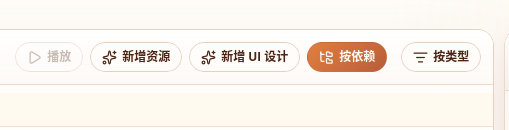 简化: * 组件实现了最基本的图片和文本 * 容器式布局未接入llm编辑 * 不同阶段统一维护一个状态State, 任何阶段都可以人工调整, 不设单独的步骤 * 多图的UI合并功能暂时不要求, 隐藏入口 * 因为生成工具尚未从主站迁移, 主站地图子画布未实现, 以tab栏的形式容纳素材的子画布需求搁置 * 未实现llm绑定字体功能 * 识别会替换现有UI树, 暂时不是增量的 Reviewed-on: http://192.168.35.82/git/GenarrativeAI/Genarrative/pulls/170 Co-authored-by: 王德宇 <kvtodev@outlook.com> Co-committed-by: 王德宇 <kvtodev@outlook.com>
26 lines
769 B
JSON
26 lines
769 B
JSON
{
|
|
"$schema": "../gen/schemas/desktop-schema.json",
|
|
"identifier": "main",
|
|
"description": "AI 游戏创作主窗口允许读取系统剪贴板图片,用于粘贴素材附件。",
|
|
"windows": ["client"],
|
|
"permissions": [
|
|
"clipboard-manager:allow-read-image",
|
|
"clipboard-manager:allow-read-text",
|
|
"core:image:allow-rgba",
|
|
"core:image:allow-size",
|
|
"core:resources:allow-close",
|
|
{
|
|
"identifier": "http:default",
|
|
"allow": [
|
|
{ "url": "https://dev.genarrative.world/api/*" },
|
|
{ "url": "https://www.genarrative.world/api/*" },
|
|
{ "url": "https://*/api/*" },
|
|
{ "url": "http://localhost:*/*" },
|
|
{ "url": "http://127.0.0.1:*/*" }
|
|
]
|
|
},
|
|
"opener:default",
|
|
"dialog:allow-open"
|
|
]
|
|
}
|