 k88936
676bd524ee
k88936
676bd524ee
示例来自微信:  before: - firefox:  - edge: 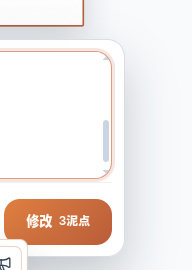 after: - firefox:   - edge:  - 使用 Lexical + OverlayScrollbars 实现统一可控的滑动条样式, 取代原来的textarea Reviewed-on: http://192.168.35.82/git/GenarrativeAI/Genarrative/pulls/149 Co-authored-by: 王德宇 <kvtodev@outlook.com> Co-committed-by: 王德宇 <kvtodev@outlook.com>
120 lines
3.6 KiB
TypeScript
120 lines
3.6 KiB
TypeScript
import { type CSSProperties, type Dispatch, type SetStateAction } from 'react';
|
|
|
|
import { PlatformActionButton } from '../common/PlatformActionButton';
|
|
import type {
|
|
CropExpandPanelState,
|
|
CropExpandRatioValue,
|
|
} from './ImageCanvasEditorTypes';
|
|
|
|
type ImageCanvasCropExpandPanelViewProps = {
|
|
panel: CropExpandPanelState;
|
|
style: CSSProperties;
|
|
setCropExpandPanel: Dispatch<SetStateAction<CropExpandPanelState | null>>;
|
|
onSubmit: () => void;
|
|
};
|
|
|
|
const CROP_EXPAND_RATIO_OPTIONS: Array<{
|
|
value: CropExpandRatioValue;
|
|
label: string;
|
|
shape?: 'square' | 'landscape' | 'portrait';
|
|
}> = [
|
|
{ value: 'free', label: '自由比例' },
|
|
{ value: '1:1', label: '1:1', shape: 'square' },
|
|
{ value: '4:3', label: '4:3', shape: 'landscape' },
|
|
{ value: '3:4', label: '3:4', shape: 'portrait' },
|
|
{ value: '16:9', label: '16:9', shape: 'landscape' },
|
|
{ value: '9:16', label: '9:16', shape: 'portrait' },
|
|
] as const;
|
|
|
|
function resetFailedCropExpandPanel(panel: CropExpandPanelState) {
|
|
return {
|
|
...panel,
|
|
status: panel.status === 'failed' ? 'idle' : panel.status,
|
|
errorMessage: panel.status === 'failed' ? undefined : panel.errorMessage,
|
|
};
|
|
}
|
|
|
|
export function ImageCanvasCropExpandPanelView({
|
|
panel,
|
|
style,
|
|
setCropExpandPanel,
|
|
onSubmit,
|
|
}: ImageCanvasCropExpandPanelViewProps) {
|
|
return (
|
|
<div
|
|
className="image-canvas-editor__crop-expand-panel"
|
|
style={style}
|
|
role="dialog"
|
|
aria-label="裁扩图片"
|
|
onPointerDown={(event) => event.stopPropagation()}
|
|
>
|
|
<div className="image-canvas-editor__crop-expand-head">
|
|
<strong>裁扩</strong>
|
|
</div>
|
|
<div className="image-canvas-editor__crop-expand-ratios">
|
|
{CROP_EXPAND_RATIO_OPTIONS.map((option) => (
|
|
<button
|
|
key={option.value}
|
|
type="button"
|
|
className={`image-canvas-editor__crop-expand-ratio ${
|
|
panel.ratio === option.value
|
|
? 'image-canvas-editor__crop-expand-ratio--selected'
|
|
: ''
|
|
}`}
|
|
aria-pressed={panel.ratio === option.value}
|
|
onClick={() =>
|
|
setCropExpandPanel((currentPanel) =>
|
|
currentPanel
|
|
? {
|
|
...resetFailedCropExpandPanel(currentPanel),
|
|
ratio: option.value,
|
|
}
|
|
: currentPanel,
|
|
)
|
|
}
|
|
>
|
|
<span
|
|
className={`image-canvas-editor__crop-expand-ratio-shape ${
|
|
option.shape
|
|
? `image-canvas-editor__crop-expand-ratio-shape--${option.shape}`
|
|
: ''
|
|
}`}
|
|
aria-hidden="true"
|
|
/>
|
|
<span>{option.label}</span>
|
|
</button>
|
|
))}
|
|
</div>
|
|
{panel.status === 'failed' ? (
|
|
<p className="image-canvas-editor__crop-expand-error" role="alert">
|
|
{panel.errorMessage}
|
|
</p>
|
|
) : null}
|
|
<div className="image-canvas-editor__crop-expand-actions">
|
|
<PlatformActionButton
|
|
type="button"
|
|
tone="secondary"
|
|
size="sm"
|
|
disabled={panel.status === 'processing'}
|
|
onClick={() => setCropExpandPanel(null)}
|
|
>
|
|
取消
|
|
</PlatformActionButton>
|
|
<PlatformActionButton
|
|
type="button"
|
|
tone="primary"
|
|
size="sm"
|
|
disabled={panel.status === 'processing'}
|
|
onClick={() => {
|
|
if (panel.status !== 'processing') {
|
|
onSubmit();
|
|
}
|
|
}}
|
|
>
|
|
{panel.status === 'processing' ? '处理中' : '完成'}
|
|
</PlatformActionButton>
|
|
</div>
|
|
</div>
|
|
);
|
|
}
|