 k88936
676bd524ee
k88936
676bd524ee
示例来自微信:  before: - firefox:  - edge: 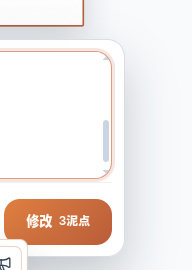 after: - firefox:   - edge:  - 使用 Lexical + OverlayScrollbars 实现统一可控的滑动条样式, 取代原来的textarea Reviewed-on: http://192.168.35.82/git/GenarrativeAI/Genarrative/pulls/149 Co-authored-by: 王德宇 <kvtodev@outlook.com> Co-committed-by: 王德宇 <kvtodev@outlook.com>
361 lines
13 KiB
TypeScript
361 lines
13 KiB
TypeScript
import { ChevronDown, ImageIcon, X } from 'lucide-react';
|
|
import {
|
|
type CSSProperties,
|
|
type Dispatch,
|
|
type ReactNode,
|
|
type SetStateAction,
|
|
useCallback,
|
|
useRef,
|
|
useState,
|
|
} from 'react';
|
|
|
|
import type {
|
|
EditorCharacterAnimationRatio,
|
|
EditorCharacterAnimationResolution,
|
|
} from '../../services/image-editor/editorProjectClient';
|
|
import { AutoGrowTextArea } from '../common/AutoGrowTextArea';
|
|
import { PlatformActionButton } from '../common/PlatformActionButton';
|
|
import { PlatformFloatingMenu } from '../common/PlatformFloatingMenu';
|
|
import { PlatformInlineOptionButton } from '../common/PlatformInlineOptionButton';
|
|
import { PlatformStatusMessage } from '../common/PlatformStatusMessage';
|
|
import { ImageCanvasEditorPortal } from './ImageCanvasEditorPortal';
|
|
import { EditorIconButton } from './ImageCanvasEditorPrimitives';
|
|
import type {
|
|
CanvasLayer,
|
|
CharacterAnimationPanelState,
|
|
} from './ImageCanvasEditorTypes';
|
|
import {
|
|
CHARACTER_ANIMATION_ACTION_PROMPTS,
|
|
CHARACTER_ANIMATION_DURATION_OPTIONS,
|
|
CHARACTER_ANIMATION_RATIO_OPTIONS,
|
|
} from './ImageCanvasGenerationModel';
|
|
import { ImageCanvasReferenceSlot } from './ImageCanvasReferenceSlot';
|
|
import { useImageCanvasFloatingOptionDismiss } from './useImageCanvasFloatingOptionDismiss';
|
|
|
|
type ImageCanvasCharacterAnimationPanelViewProps = {
|
|
panel: CharacterAnimationPanelState;
|
|
sourceLayer: CanvasLayer;
|
|
style: CSSProperties;
|
|
price: number;
|
|
setCharacterAnimationPanel: Dispatch<
|
|
SetStateAction<CharacterAnimationPanelState | null>
|
|
>;
|
|
onUpdateDuration: (frameCountValue: string) => void;
|
|
onSubmit: () => void;
|
|
};
|
|
|
|
function resetFailedPanelStatus<T extends { status: string; errorMessage?: string }>(
|
|
panel: T,
|
|
) {
|
|
return {
|
|
...panel,
|
|
status: panel.status === 'failed' ? 'idle' : panel.status,
|
|
errorMessage: panel.status === 'failed' ? undefined : panel.errorMessage,
|
|
};
|
|
}
|
|
|
|
function buildLocalMenuStyle(anchor: HTMLElement | null): CSSProperties {
|
|
const rect = anchor?.getBoundingClientRect();
|
|
if (!rect) {
|
|
return {
|
|
position: 'fixed',
|
|
left: 0,
|
|
top: 0,
|
|
right: 'auto',
|
|
bottom: 'auto',
|
|
zIndex: 70,
|
|
};
|
|
}
|
|
|
|
return {
|
|
position: 'fixed',
|
|
left: Math.round(rect.left),
|
|
top: Math.round(rect.top),
|
|
right: 'auto',
|
|
bottom: 'auto',
|
|
zIndex: 70,
|
|
transform: 'translateY(calc(-100% - 0.45rem))',
|
|
};
|
|
}
|
|
|
|
function renderPanelPortal(node: ReactNode) {
|
|
// 中文注释:参数菜单挂到页面级,避免被角色动画面板滚动边界裁切。
|
|
return <ImageCanvasEditorPortal>{node}</ImageCanvasEditorPortal>;
|
|
}
|
|
|
|
function getRatioLabel(value: EditorCharacterAnimationRatio) {
|
|
return value === 'same' ? '同图尺寸' : value;
|
|
}
|
|
|
|
function AnimationOptionChoice({
|
|
children,
|
|
selected,
|
|
className,
|
|
ariaLabel,
|
|
disabled,
|
|
onClick,
|
|
}: {
|
|
children: ReactNode;
|
|
selected: boolean;
|
|
className?: string;
|
|
ariaLabel?: string;
|
|
disabled?: boolean;
|
|
onClick?: () => void;
|
|
}) {
|
|
return (
|
|
<button
|
|
type="button"
|
|
className={['image-canvas-editor__option-popover-choice', className]
|
|
.filter(Boolean)
|
|
.join(' ')}
|
|
aria-label={ariaLabel}
|
|
aria-pressed={selected}
|
|
disabled={disabled}
|
|
onClick={onClick}
|
|
>
|
|
{children}
|
|
</button>
|
|
);
|
|
}
|
|
|
|
export function ImageCanvasCharacterAnimationPanelView({
|
|
panel,
|
|
sourceLayer,
|
|
style,
|
|
price,
|
|
setCharacterAnimationPanel,
|
|
onUpdateDuration,
|
|
onSubmit,
|
|
}: ImageCanvasCharacterAnimationPanelViewProps) {
|
|
const [isParameterMenuOpen, setIsParameterMenuOpen] = useState(false);
|
|
const parameterButtonRef = useRef<HTMLButtonElement | null>(null);
|
|
const isGenerating = panel.status === 'generating';
|
|
const ratioLabel = getRatioLabel(panel.ratio);
|
|
const dismissParameterMenu = useCallback(() => {
|
|
setIsParameterMenuOpen(false);
|
|
}, []);
|
|
|
|
useImageCanvasFloatingOptionDismiss({
|
|
isOpen: isParameterMenuOpen,
|
|
boundaryRefs: [parameterButtonRef],
|
|
onDismiss: dismissParameterMenu,
|
|
});
|
|
|
|
const updatePanel = (patch: Partial<CharacterAnimationPanelState>) => {
|
|
setCharacterAnimationPanel((currentPanel) =>
|
|
currentPanel
|
|
? {
|
|
...resetFailedPanelStatus(currentPanel),
|
|
...patch,
|
|
}
|
|
: currentPanel,
|
|
);
|
|
};
|
|
const closePanel = () => {
|
|
setCharacterAnimationPanel((currentPanel) =>
|
|
currentPanel && isGenerating
|
|
? currentPanel
|
|
: null,
|
|
);
|
|
};
|
|
|
|
return (
|
|
<>
|
|
<div
|
|
className="image-canvas-editor__character-animation-panel image-canvas-editor__generation-composer image-canvas-editor__generation-composer--image image-canvas-editor__generation-composer--character-animation"
|
|
style={style}
|
|
role="dialog"
|
|
aria-label="角色动画生成面板"
|
|
onPointerDown={(event) => event.stopPropagation()}
|
|
>
|
|
<div className="image-canvas-editor__reference-strip">
|
|
<ImageCanvasReferenceSlot
|
|
tone="character"
|
|
icon={<ImageIcon className="h-4 w-4" aria-hidden="true" />}
|
|
imageSrc={sourceLayer.src}
|
|
objectKey={sourceLayer.objectKey}
|
|
label={sourceLayer.title}
|
|
ariaLabel={sourceLayer.title}
|
|
title={sourceLayer.title}
|
|
/>
|
|
</div>
|
|
<EditorIconButton
|
|
className="image-canvas-editor__generation-close"
|
|
label="关闭角色动画生成面板"
|
|
title="关闭"
|
|
icon={X}
|
|
variant="surfaceFloating"
|
|
disabled={isGenerating}
|
|
onClick={closePanel}
|
|
/>
|
|
<AutoGrowTextArea
|
|
aria-label="动画描述"
|
|
value={panel.promptText}
|
|
maxLength={4000}
|
|
disabled={isGenerating}
|
|
placeholder="你希望角色做什么动作?"
|
|
className="max-h-64 image-canvas-editor__generation-prompt image-canvas-editor__character-animation-textarea"
|
|
onValueChange={(value) => updatePanel({ promptText: value })}
|
|
/>
|
|
<div className="image-canvas-editor__character-animation-presets">
|
|
{CHARACTER_ANIMATION_ACTION_PROMPTS.map((preset) => (
|
|
<button
|
|
key={preset.label}
|
|
type="button"
|
|
className="image-canvas-editor__character-animation-preset"
|
|
disabled={isGenerating}
|
|
onClick={() =>
|
|
setCharacterAnimationPanel((currentPanel) =>
|
|
currentPanel
|
|
? {
|
|
...currentPanel,
|
|
promptText: preset.text,
|
|
status: 'idle',
|
|
errorMessage: undefined,
|
|
}
|
|
: currentPanel,
|
|
)
|
|
}
|
|
>
|
|
{preset.label}
|
|
</button>
|
|
))}
|
|
</div>
|
|
<div className="image-canvas-editor__character-animation-footer">
|
|
<div className="image-canvas-editor__option-popover-anchor image-canvas-editor__option-popover-anchor--dimensions">
|
|
<PlatformInlineOptionButton
|
|
ref={parameterButtonRef}
|
|
className="image-canvas-editor__option-cluster image-canvas-editor__option-cluster--dimensions"
|
|
aria-label={`动画参数 ${ratioLabel} · ${panel.durationSeconds}秒 · ${panel.resolution}`}
|
|
aria-expanded={isParameterMenuOpen}
|
|
disabled={isGenerating}
|
|
trailingIcon={<ChevronDown className="h-3 w-3" />}
|
|
onClick={() => setIsParameterMenuOpen((open) => !open)}
|
|
>
|
|
{ratioLabel} · {panel.durationSeconds}秒 · {panel.resolution}
|
|
</PlatformInlineOptionButton>
|
|
</div>
|
|
<PlatformActionButton
|
|
type="button"
|
|
tone="secondary"
|
|
size="xs"
|
|
shape="pill"
|
|
className="image-canvas-editor__character-animation-submit"
|
|
disabled={isGenerating}
|
|
onClick={() => {
|
|
if (!isGenerating) {
|
|
onSubmit();
|
|
}
|
|
}}
|
|
>
|
|
{isGenerating ? '生成中' : `生成${price}泥点`}
|
|
</PlatformActionButton>
|
|
</div>
|
|
<span
|
|
className="image-canvas-editor__character-animation-summary-text"
|
|
title={panel.promptText.trim() || undefined}
|
|
aria-label={`生成文本:${panel.promptText.trim() || '动画描述'}`}
|
|
>
|
|
{panel.promptText.trim() ? panel.promptText.trim() : '动画描述'}
|
|
</span>
|
|
{panel.status === 'completed' && panel.result ? (
|
|
<PlatformStatusMessage
|
|
tone="success"
|
|
surface="platform"
|
|
size="xs"
|
|
role="status"
|
|
>
|
|
已生成 {panel.result.frameCount} 帧
|
|
</PlatformStatusMessage>
|
|
) : null}
|
|
{panel.status === 'failed' ? (
|
|
<PlatformStatusMessage
|
|
tone="error"
|
|
surface="platform"
|
|
size="xs"
|
|
role="alert"
|
|
>
|
|
{panel.errorMessage}
|
|
</PlatformStatusMessage>
|
|
) : null}
|
|
</div>
|
|
{isParameterMenuOpen
|
|
? renderPanelPortal(
|
|
<PlatformFloatingMenu
|
|
className="image-canvas-editor__option-popover image-canvas-editor__portal-menu"
|
|
label="动画参数选项"
|
|
placement="top-start"
|
|
style={buildLocalMenuStyle(parameterButtonRef.current)}
|
|
onPointerDown={(event) => event.stopPropagation()}
|
|
>
|
|
<div className="image-canvas-editor__option-popover-sections">
|
|
<section className="image-canvas-editor__option-popover-section">
|
|
<span className="image-canvas-editor__option-popover-title">
|
|
比例
|
|
</span>
|
|
<div className="image-canvas-editor__option-popover-items image-canvas-editor__option-popover-items--card">
|
|
{CHARACTER_ANIMATION_RATIO_OPTIONS.map((option) => (
|
|
<AnimationOptionChoice
|
|
key={option.value}
|
|
selected={panel.ratio === option.value}
|
|
disabled={isGenerating}
|
|
className="image-canvas-editor__option-popover-choice--ratio"
|
|
ariaLabel={`比例 ${getRatioLabel(option.value)}`}
|
|
onClick={() => updatePanel({ ratio: option.value })}
|
|
>
|
|
<span
|
|
className="image-canvas-editor__ratio-wireframe"
|
|
data-ratio={option.value}
|
|
aria-hidden="true"
|
|
/>
|
|
<span>{getRatioLabel(option.value)}</span>
|
|
</AnimationOptionChoice>
|
|
))}
|
|
</div>
|
|
</section>
|
|
<section className="image-canvas-editor__option-popover-section">
|
|
<span className="image-canvas-editor__option-popover-title">
|
|
时长
|
|
</span>
|
|
<div className="image-canvas-editor__option-popover-items">
|
|
{CHARACTER_ANIMATION_DURATION_OPTIONS.map((option) => (
|
|
<AnimationOptionChoice
|
|
key={option.frameCount}
|
|
selected={panel.frameCount === option.frameCount}
|
|
disabled={isGenerating}
|
|
ariaLabel={`时长 ${option.label}`}
|
|
onClick={() => onUpdateDuration(String(option.frameCount))}
|
|
>
|
|
{option.label}
|
|
</AnimationOptionChoice>
|
|
))}
|
|
</div>
|
|
</section>
|
|
<section className="image-canvas-editor__option-popover-section">
|
|
<span className="image-canvas-editor__option-popover-title">
|
|
清晰度
|
|
</span>
|
|
<div className="image-canvas-editor__option-popover-items">
|
|
{(['480p', '720p'] as EditorCharacterAnimationResolution[]).map(
|
|
(resolution) => (
|
|
<AnimationOptionChoice
|
|
key={resolution}
|
|
selected={panel.resolution === resolution}
|
|
disabled={isGenerating}
|
|
ariaLabel={`清晰度 ${resolution}`}
|
|
onClick={() => updatePanel({ resolution })}
|
|
>
|
|
{resolution}
|
|
</AnimationOptionChoice>
|
|
),
|
|
)}
|
|
</div>
|
|
</section>
|
|
</div>
|
|
</PlatformFloatingMenu>,
|
|
)
|
|
: null}
|
|
</>
|
|
);
|
|
}
|