 k88936
676bd524ee
k88936
676bd524ee
示例来自微信:  before: - firefox:  - edge: 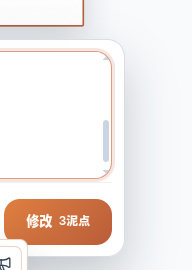 after: - firefox:   - edge:  - 使用 Lexical + OverlayScrollbars 实现统一可控的滑动条样式, 取代原来的textarea Reviewed-on: http://192.168.35.82/git/GenarrativeAI/Genarrative/pulls/149 Co-authored-by: 王德宇 <kvtodev@outlook.com> Co-committed-by: 王德宇 <kvtodev@outlook.com>
265 lines
8.3 KiB
TypeScript
265 lines
8.3 KiB
TypeScript
/* @vitest-environment jsdom */
|
|
|
|
import { fireEvent, render, screen } from '@testing-library/react';
|
|
import { useState } from 'react';
|
|
import { describe, expect, it, vi } from 'vitest';
|
|
|
|
import { setPlainTextEditorValue } from '../common/AutoGrowTextArea.test-utils';
|
|
import { ImageCanvasCharacterAnimationPanelView } from './ImageCanvasCharacterAnimationPanelView';
|
|
import type {
|
|
CanvasLayer,
|
|
CharacterAnimationPanelState,
|
|
} from './ImageCanvasEditorTypes';
|
|
|
|
function createSourceLayer(): CanvasLayer {
|
|
return {
|
|
id: 'layer-a',
|
|
resourceId: 'resource-a',
|
|
title: '角色源图',
|
|
src: 'data:image/png;base64,Y2hhcmFjdGVy',
|
|
x: 0,
|
|
y: 0,
|
|
width: 128,
|
|
height: 128,
|
|
originalWidth: 128,
|
|
originalHeight: 128,
|
|
zIndex: 1,
|
|
sourceType: 'uploaded',
|
|
};
|
|
}
|
|
|
|
function createPanel(
|
|
patch: Partial<CharacterAnimationPanelState> = {},
|
|
): CharacterAnimationPanelState {
|
|
return {
|
|
sourceLayerId: 'layer-a',
|
|
promptText: '待机动作',
|
|
resolution: '480p',
|
|
ratio: 'same',
|
|
frameCount: 32,
|
|
durationSeconds: 4,
|
|
status: 'idle',
|
|
...patch,
|
|
};
|
|
}
|
|
|
|
function CharacterAnimationPanelHarness({
|
|
initialPanel,
|
|
onSubmit = vi.fn(),
|
|
onUpdateDuration,
|
|
}: {
|
|
initialPanel: CharacterAnimationPanelState;
|
|
onSubmit?: () => void;
|
|
onUpdateDuration?: (frameCountValue: string) => void;
|
|
}) {
|
|
const [panel, setPanel] = useState<CharacterAnimationPanelState | null>(
|
|
initialPanel,
|
|
);
|
|
|
|
const updateDuration =
|
|
onUpdateDuration ??
|
|
((frameCountValue: string) => {
|
|
const frameCount = Number(frameCountValue);
|
|
setPanel((currentPanel) =>
|
|
currentPanel
|
|
? {
|
|
...currentPanel,
|
|
frameCount: frameCount === 48 ? 48 : frameCount === 40 ? 40 : 32,
|
|
durationSeconds:
|
|
frameCount === 48 ? 6 : frameCount === 40 ? 5 : 4,
|
|
status:
|
|
currentPanel.status === 'failed' ? 'idle' : currentPanel.status,
|
|
errorMessage:
|
|
currentPanel.status === 'failed'
|
|
? undefined
|
|
: currentPanel.errorMessage,
|
|
}
|
|
: currentPanel,
|
|
);
|
|
});
|
|
|
|
return panel ? (
|
|
<div>
|
|
<ImageCanvasCharacterAnimationPanelView
|
|
panel={panel}
|
|
sourceLayer={createSourceLayer()}
|
|
style={{ left: 12, top: 24 }}
|
|
price={18}
|
|
setCharacterAnimationPanel={setPanel}
|
|
onUpdateDuration={updateDuration}
|
|
onSubmit={onSubmit}
|
|
/>
|
|
<output aria-label="当前动画描述">{panel.promptText}</output>
|
|
<output aria-label="当前分辨率">{panel.resolution}</output>
|
|
<output aria-label="当前比例">{panel.ratio}</output>
|
|
<output aria-label="当前帧数">{panel.frameCount}</output>
|
|
<output aria-label="当前时长">{panel.durationSeconds}</output>
|
|
<output aria-label="当前状态">{panel.status}</output>
|
|
<output aria-label="当前错误">{panel.errorMessage ?? '-'}</output>
|
|
</div>
|
|
) : (
|
|
<output aria-label="面板状态">closed</output>
|
|
);
|
|
}
|
|
|
|
describe('ImageCanvasCharacterAnimationPanelView', () => {
|
|
it('keeps source reference first and updates prompt, resolution and ratio from a menu while clearing failed state', () => {
|
|
render(
|
|
<CharacterAnimationPanelHarness
|
|
initialPanel={createPanel({
|
|
status: 'failed',
|
|
errorMessage: '旧错误',
|
|
})}
|
|
/>,
|
|
);
|
|
|
|
const description = screen.getByLabelText('动画描述');
|
|
expect(description.closest('.auto-grow-text-area')?.className).toContain(
|
|
'auto-grow-text-area',
|
|
);
|
|
expect(description.className).not.toContain('platform-text-field');
|
|
|
|
setPlainTextEditorValue(description, 'a'.repeat(4001));
|
|
fireEvent.click(
|
|
screen.getByRole('button', { name: '动画参数 同图尺寸 · 4秒 · 480p' }),
|
|
);
|
|
const menu = screen.getByRole('menu', { name: '动画参数选项' });
|
|
fireEvent.click(screen.getByRole('button', { name: '清晰度 720p' }));
|
|
fireEvent.click(screen.getByRole('button', { name: '比例 16:9' }));
|
|
|
|
expect(screen.getByRole('menu', { name: '动画参数选项' })).toBeTruthy();
|
|
expect(screen.getByLabelText('当前动画描述').textContent).toHaveLength(
|
|
4000,
|
|
);
|
|
expect(screen.getByLabelText('当前分辨率').textContent).toBe('720p');
|
|
expect(screen.getByLabelText('当前比例').textContent).toBe('16:9');
|
|
expect(menu).toBeTruthy();
|
|
expect(
|
|
menu
|
|
.closest('.image-canvas-editor__portal-theme')
|
|
?.classList.contains('platform-theme--light'),
|
|
).toBe(true);
|
|
expect(screen.getByLabelText('当前状态').textContent).toBe('idle');
|
|
expect(screen.getByLabelText('当前错误').textContent).toBe('-');
|
|
});
|
|
|
|
it('clicks the parent animation panel to collapse the parameter menu', () => {
|
|
render(<CharacterAnimationPanelHarness initialPanel={createPanel()} />);
|
|
|
|
fireEvent.click(
|
|
screen.getByRole('button', { name: '动画参数 同图尺寸 · 4秒 · 480p' }),
|
|
);
|
|
expect(screen.getByRole('menu', { name: '动画参数选项' })).toBeTruthy();
|
|
|
|
fireEvent.click(screen.getByRole('textbox', { name: '动画描述' }));
|
|
|
|
expect(screen.queryByRole('menu', { name: '动画参数选项' })).toBeNull();
|
|
});
|
|
|
|
it('applies preset prompt and duration updates', () => {
|
|
const updateDuration = vi.fn();
|
|
render(
|
|
<CharacterAnimationPanelHarness
|
|
initialPanel={createPanel({
|
|
status: 'failed',
|
|
errorMessage: '旧错误',
|
|
})}
|
|
onUpdateDuration={updateDuration}
|
|
/>,
|
|
);
|
|
|
|
fireEvent.click(screen.getByRole('button', { name: '行走' }));
|
|
fireEvent.click(
|
|
screen.getByRole('button', { name: '动画参数 同图尺寸 · 4秒 · 480p' }),
|
|
);
|
|
fireEvent.click(screen.getByRole('button', { name: '时长 48帧·6秒' }));
|
|
|
|
expect(screen.getByLabelText('当前动画描述').textContent).toBe(
|
|
'循环行走动作,步伐稳定。',
|
|
);
|
|
expect(screen.getByLabelText('当前状态').textContent).toBe('idle');
|
|
expect(screen.getByLabelText('当前错误').textContent).toBe('-');
|
|
expect(updateDuration).toHaveBeenCalledWith('48');
|
|
});
|
|
|
|
it('submits only when idle and closes through its interface', () => {
|
|
const submitCharacterAnimation = vi.fn();
|
|
render(
|
|
<CharacterAnimationPanelHarness
|
|
initialPanel={createPanel()}
|
|
onSubmit={submitCharacterAnimation}
|
|
/>,
|
|
);
|
|
|
|
fireEvent.click(screen.getByRole('button', { name: '生成18泥点' }));
|
|
fireEvent.click(
|
|
screen.getByRole('button', { name: '关闭角色动画生成面板' }),
|
|
);
|
|
|
|
expect(submitCharacterAnimation).toHaveBeenCalledTimes(1);
|
|
expect(screen.getByLabelText('面板状态').textContent).toBe('closed');
|
|
});
|
|
|
|
it('keeps generating panels disabled and does not submit', () => {
|
|
const submitCharacterAnimation = vi.fn();
|
|
render(
|
|
<CharacterAnimationPanelHarness
|
|
initialPanel={createPanel({ status: 'generating' })}
|
|
onSubmit={submitCharacterAnimation}
|
|
/>,
|
|
);
|
|
|
|
fireEvent.click(screen.getByRole('button', { name: '生成中' }));
|
|
|
|
const description = screen.getByLabelText('动画描述');
|
|
expect(description.getAttribute('aria-disabled')).toBe('true');
|
|
expect(
|
|
description
|
|
.closest('.auto-grow-text-area')
|
|
?.getAttribute('data-disabled'),
|
|
).toBe('true');
|
|
expect(
|
|
(screen.getByRole('button', { name: '待机' }) as HTMLButtonElement)
|
|
.disabled,
|
|
).toBe(true);
|
|
expect(submitCharacterAnimation).not.toHaveBeenCalled();
|
|
});
|
|
|
|
it('renders completed frame count and failed error state', () => {
|
|
const result = {
|
|
taskId: 'task-a',
|
|
model: 'seedance2.0-fast' as const,
|
|
prompt: '行走动作',
|
|
previewVideoPath: '/preview.mp4',
|
|
frames: [],
|
|
frameCount: 40,
|
|
durationSeconds: 5,
|
|
fps: 8,
|
|
priceMudPoints: 18,
|
|
};
|
|
|
|
const { rerender } = render(
|
|
<CharacterAnimationPanelHarness
|
|
initialPanel={createPanel({
|
|
status: 'completed',
|
|
result,
|
|
})}
|
|
/>,
|
|
);
|
|
|
|
expect(screen.getByText('已生成 40 帧')).toBeTruthy();
|
|
|
|
rerender(
|
|
<CharacterAnimationPanelHarness
|
|
key="failed"
|
|
initialPanel={createPanel({
|
|
status: 'failed',
|
|
errorMessage: '生成失败',
|
|
})}
|
|
/>,
|
|
);
|
|
|
|
expect(screen.getByRole('alert').textContent).toContain('生成失败');
|
|
});
|
|
});
|